How to Choose the Best Shopify Theme for Beginners: A Step‑by‑Step Guide (2024)
In this step‑by‑step guide we’ll break down exactly what you need to look for: from core features every beginner‑friendly theme should have, to design tricks that boost conversion
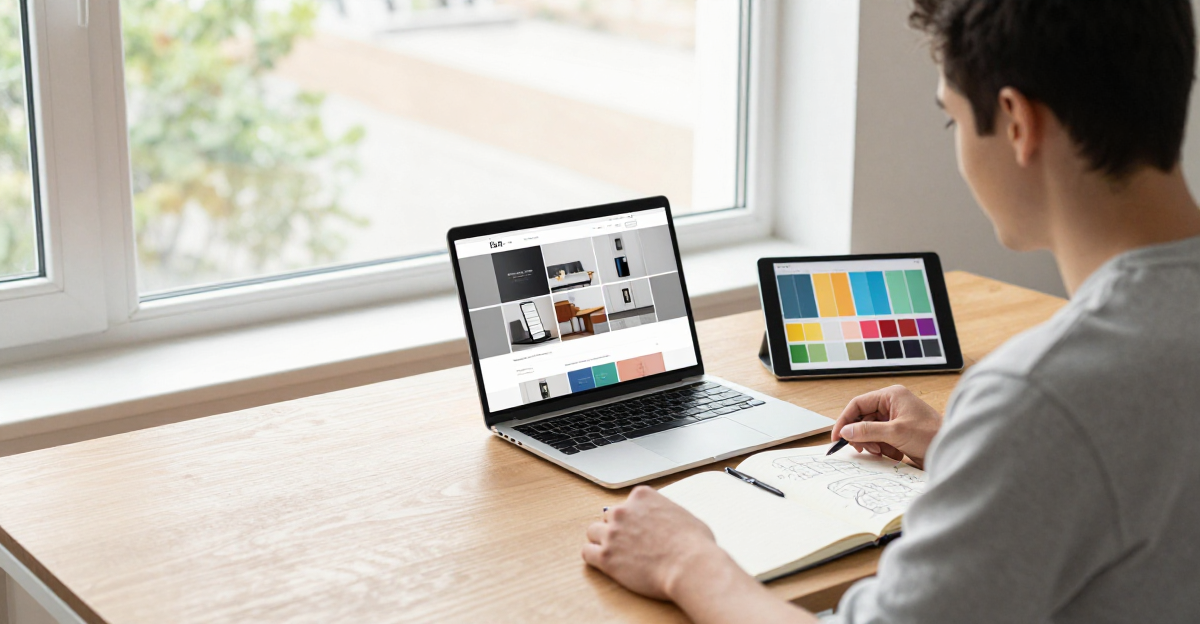
Launching an online store in 2024 feels like stepping onto a fast‑moving runway—every second counts, and the right visual foundation can be the difference between a cart that fills up and one that stays empty. That’s why knowing how to choose the best Shopify theme for beginners is more than a nice‑to‑have skill; it’s the first strategic decision that shapes your brand, your SEO, and your sales funnel. With countless free Shopify themes and premium options flooding the market, the sheer variety can leave even seasoned merchants scratching their heads.
In this step‑by‑step guide we’ll break down exactly what you need to look for: from core features every beginner‑friendly theme should have, to design tricks that boost conversion, to technical considerations like Shopify theme speed, SEO friendliness, and mobile responsiveness. We’ll compare free vs. paid Shopify themes, show you how to test a theme before committing, and reveal the top 5 recommended Shopify themes for beginners in 2024. By the end, you’ll have a clear checklist, practical customization tips, and the confidence to launch a responsive, SEO‑optimized store that stands out in today’s crowded e‑commerce landscape.
1. Identify Your Store’s Goals and Requirements
Before you start scrolling through the endless catalog of best Shopify themes 2024, take a step back and define what your store needs to achieve. Aligning your theme choice with clear business goals ensures you won’t waste time on features you’ll never use.
- Define your niche and product range – Are you selling a single flagship product or curating a multi‑category catalog? A beginner Shopify theme for a single‑product store can be leaner, while a broader inventory may require more navigation options.
- Determine essential functionalities – List must‑have features such as product reviews, wish‑lists, or an Instagram feed. These affect whether you need a responsive Shopify theme with built‑in sections or will add apps later.
- Set budget expectations – Decide between free Shopify themes and paid Shopify themes. Free options are great for tight budgets, but paid themes often deliver superior Shopify theme speed, SEO optimization, and support.
- Consider target audience preferences – Mobile‑first shoppers expect a Shopify theme mobile friendly experience. Choose a design that matches your audience’s visual style and browsing habits.
- Create a checklist of must‑have features – Include items like Shopify theme SEO settings, easy Shopify theme customization, and compliance with Shopify theme development best practices. This checklist becomes your reference when evaluating each theme.
By answering these questions, you’ll have a solid framework for how to choose a Shopify theme that not only looks great but also drives performance and conversions.
2. Core Features Every Beginner‑Friendly Shopify Theme Should Have
When you’ve already defined the goals for your store, the next step is to make sure the theme you pick can actually deliver on those goals. A beginner‑friendly Shopify theme should pack a handful of core features that keep your site fast, searchable, and easy to tweak without a developer.
- Responsive design and mobile optimization – Choose a responsive Shopify theme that automatically reshapes layouts for phones and tablets. With over half of ecommerce traffic on mobile, a mobile‑friendly design is essential.
- Fast loading speed and lightweight code – Shopify theme speed directly impacts conversion. Themes built with clean CSS/JS and lazy‑loaded images follow development best practices for performance.
- Built‑in SEO settings – The best Shopify themes 2024 include fields for meta titles, descriptions, schema markup, and clean URLs, giving you a solid Shopify theme SEO base without extra apps.
- Easy customization via Theme Editor – A beginner Shopify theme should let you change colors, fonts, and section order with drag‑and‑drop controls. Both free and paid options require no code.
- Support for major payment gateways – Seamless integration with Shopify Payments, Apple Pay, Google Pay, and other gateways ensures checkout works everywhere.
- Accessibility compliance (WCAG basics) – Themes that follow WCAG 2.1 guidelines provide proper contrast, keyboard navigation, and ARIA labels, making your store usable for all visitors.
By ticking these boxes, you’ll answer the question “how to choose a Shopify theme” with confidence, whether you opt for a free Shopify theme to test the waters or invest in a paid Shopify theme that offers extra support and premium design.
3. Design & User Experience: What Looks Good and Converts Better
When you’re figuring out how to choose the best Shopify theme for beginners, the visual experience is the bridge between traffic and sales. A clean visual hierarchy and generous whitespace guide shoppers’ eyes, making it easy to spot the “Add to cart” button and boosting conversion rates.
A responsive Shopify theme that loads quickly on any device is non‑negotiable. Look for built‑in lazy loading and optimized image handling; this not only improves Shopify theme speed but also helps with Shopify theme SEO because search engines reward fast, mobile‑friendly pages.
- Clear visual hierarchy and whitespace – use larger headings for product names, smaller text for details, and plenty of breathing room.
- High‑quality image handling with lazy loading – serve retina‑ready images that load only when they enter the viewport.
- Intuitive navigation – mega‑menus for large catalogs, breadcrumb trails for deep pages, and sticky headers.
- Product page layout that highlights benefits and reviews – place key benefits, star ratings, and social proof above the fold.
- Consistent branding – align fonts, colors, and logo placement across the theme.
- Beginner‑friendly designs that boost conversions – free themes like Debut or paid options such as Prestige showcase clean, ready‑to‑use layouts.
Whether you opt for a free Shopify theme or invest in a premium option, follow Shopify theme development best practices like limiting custom scripts and using native Shopify theme customization tools. The result is a Shopify theme mobile friendly storefront that looks great, loads fast, and converts better.
4. Technical Considerations: Speed, SEO, and Mobile Responsiveness
When you’re figuring out how to Choose the Best Shopify Theme for Beginners, the technical foundation is just as important as the visual appeal. A theme that loads quickly, ranks well in search, and looks flawless on every device will keep visitors engaged and boost conversions.
- Test theme speed: Use Google PageSpeed Insights and GTmetrix to measure load time, first‑contentful paint, and total blocking time. Aim for a score above 90 and a load time under 2 seconds. Free and paid Shopify themes should meet these benchmarks before you commit.
- Clean Liquid code & minimal third‑party scripts: Themes built with tidy Liquid and few external libraries reduce render‑blocking requests, aligning with Shopify theme development best practices and preserving Shopify theme speed even after adding apps.
- SEO‑friendly structure: Look for proper heading hierarchy (H1‑H3), built‑in schema markup for products and breadcrumbs, and automatic alt‑text fields. This gives you a head start on Shopify theme SEO without heavy custom coding.
- Responsive, mobile‑first design: A responsive Shopify theme must render correctly on smartphones and tablets. Ensure buttons are touch‑friendly, fonts scale, and images use srcset. Google’s Mobile-Friendly Test quickly verifies true Shopify theme mobile friendly performance.
- Compatibility with the latest Shopify OS and apps: Verify the theme supports Online Store 2.0 sections, metafields, and integrates smoothly with essential apps for reviews, email capture, and inventory.
By running these checks, you’ll narrow down the best Shopify themes 2024 to those that not only look great but also perform reliably for a beginner Shopify theme launch, making it easier to answer how to choose a Shopify theme with confidence.
5. Free vs. Paid Themes: Pros, Cons, and When to Upgrade
When you’re figuring out how to choose a Shopify theme, the first decision is between free Shopify themes and paid Shopify themes. Both can work for a beginner Shopify theme, but knowing their trade‑offs saves time and money.
Advantages of free themes:
- Cost‑effective – launch with no upfront fee.
- Quick start – pre‑installed in the Shopify Theme Store.
- Basic responsiveness – already mobile friendly and meet the responsive Shopify theme baseline.
Limitations of free themes:
- Limited customization, which can restrict branding.
- Infrequent updates, affecting Shopify theme speed and Shopify theme SEO.
- Simpler design – rarely rank among the best Shopify themes 2024 for conversions.
Benefits of paid themes:
- Premium designs that follow Shopify theme development best practices.
- Regular updates improve speed, security, and SEO.
- Dedicated support reduces the learning curve.
- Advanced Shopify theme customization options, such as sections and style settings.
In 2024, popular paid themes cost between $140 and $350 (some niche bundles exceed $500). Lifetime updates are often included, making the price worthwhile for growing stores.
Evaluating ROI:
- Identify must‑have features (e.g., fast loading, SEO‑ready, mobile‑first).
- Estimate the sales lift a faster, more polished design could bring.
- Compare the theme price to the projected increase in conversion or average order value.
- Factor in time saved on development – a well‑coded paid theme can cut reliance on developers.
Balancing these factors helps you choose the right theme and stay on track with the How to Choose the Best Shopify Theme for Beginners guide.
6. Testing a Theme Before You Commit
Testing a theme before you commit is a crucial step in how to Choose the Best Shopify Theme for Beginners. Even the most polished responsive Shopify theme can reveal hidden issues once you see it live. Below are practical ways to evaluate a theme without risking your main store.
- Use Shopify’s Theme Store preview and “Add theme” trial mode to explore the layout, typography, and built‑in sections without publishing.
- Set up a duplicate store or staging environment where you can install the theme, import a few products, and test navigation, checkout flow, and Shopify theme speed under real traffic.
- Check compatibility with essential apps such as review widgets, email capture forms, and upsell tools; incompatibilities often surface only after installation, affecting Shopify theme SEO and overall performance.
- Run simple A/B tests on key pages—home, product, and checkout—by swapping the new theme against your current one and measuring conversion, bounce rate, and load time to verify that the responsive Shopify theme improves user experience.
- Gather feedback from friends, beta customers, or a small focus group; ask about visual appeal, mobile friendliness, and any glitches they encounter on different devices.
Make sure to also test the theme on both desktop and mobile browsers, as a truly responsive Shopify theme should look and load consistently across all screen sizes. Testing on multiple devices also reveals any hidden layout bugs.
These steps help you answer how to choose a Shopify theme with confidence, ensuring the final choice aligns with best Shopify themes 2024 recommendations.
By documenting these tests you can compare free Shopify themes with paid Shopify themes, see which one follows Shopify theme development best practices, and determine if it matches the best Shopify themes 2024 trends. This lets you decide whether the beginner Shopify theme meets your Shopify theme customization needs while staying fast, Shopify theme SEO‑friendly, and Shopify theme mobile friendly.
7. Top 5 Recommended Shopify Themes for Beginners (2024)
Choosing the right theme is crucial for beginners. These selections reflect current trends and developer support for 2024. Below are the top five Shopify themes for 2024 that combine speed, SEO, and mobile‑friendliness, helping you pick a beginner‑friendly option.
- Dawn (free) – Minimalist, responsive theme built on Online Store 2.0. Loads under a second, offering strong speed and SEO defaults. Flexible sections let you customize without code, ideal for visual storytelling.
- Debut (free) – Versatile theme for small catalogs. Clean layout, built‑in filtering, and mobile‑friendly design. Follows Shopify development best practices, delivering solid performance and easy customization.
- Brooklyn (free) – Designed for apparel, it highlights strong visuals with a slideshow homepage and dynamic grid. Responsive layout ensures smooth mobile shopping, and code is optimized for fast loads and SEO.
- Prestige (paid) – Luxury‑focused premium theme with advanced product‑page options, video sections, and Instagram integration. Prioritizes speed and mobile performance while offering deep customization through sections and blocks.
- Turbo (paid) – Engineered for ultra‑fast performance with lazy loading, predictive search, and CDN assets. One of the fastest responsive themes, it includes extensive SEO controls and robust style options for developers and beginners.
All five meet the speed, SEO, and mobile criteria we covered, so you can focus on branding. Test each in a free trial on mobile devices and choose the one that fits your vision before committing. Remember, a theme is just a foundation; you can always tweak colors, fonts, and sections later.
8. Final Checklist & Next Steps for Launching Your Store
Now that you’ve answered “how to choose a Shopify theme” and narrowed down the best Shopify themes 2024, run a final sanity check before you go live. This list ties together the feature review from earlier sections with the performance metrics crucial for a beginner Shopify theme.
- Feature checklist vs. chosen theme – Cross‑reference must‑have features (filters, SEO fields, sections) with your selection, whether a free Shopify theme or a paid Shopify theme. If something’s missing, apply quick Shopify theme customization or choose another option.
- Responsive design & speed – Confirm the theme is a responsive Shopify theme and scores 90+ on PageSpeed for desktop and mobile. Speed and mobile‑friendliness are key for Shopify theme SEO and conversions.
- Basic SEO – Add title tags, meta descriptions, and alt text to hero images. Even the most polished beginner Shopify theme will underperform without these Shopify theme SEO basics.
- Apps & checkout test – Install core apps (email capture, reviews, shipping calculator) and run a full checkout simulation. Ensure the flow works smoothly on a responsive Shopify theme and that no app conflicts slow the Shopify theme speed.
- Soft launch – Publish to a password‑protected URL, share with a small audience, and monitor analytics (bounce, load time, sales). Use the data to tweak before the public launch.
Following this checklist ensures your store follows Shopify theme development best practices, whether you chose a free Shopify theme or invested in a paid Shopify theme. When the numbers look good, lift the password, announce your launch, and start driving traffic.
Conclusion
By now you’ve seen that learning how to Choose the Best Shopify Theme for Beginners starts with a clear inventory of your store’s goals, followed by a checklist of core features such as a responsive design, fast loading times, and built‑in SEO tools. You’ve explored why a responsive Shopify theme and solid Shopify theme speed are non‑negotiable for conversion, and how Shopify theme development best practices keep your site secure and future‑proof. The guide walked you through the trade‑offs between free Shopify themes and paid Shopify themes, highlighted the importance of mobile‑friendly layouts, and showed you how to test a theme before committing. Armed with this knowledge, you can confidently evaluate the best Shopify themes 2024 and avoid common beginner pitfalls.
Your next step is simple: start by shortlisting a few free Shopify themes, install them on a staging store, and run speed tests and SEO audits using tools like Google PageSpeed Insights and Lighthouse. Then, experiment with Shopify theme customization—swap fonts, adjust colors, and add essential apps—to see how each option aligns with your brand and conversion goals. When a paid theme offers features you can’t get for free, weigh the cost against the expected ROI and make a data‑driven decision. Follow the final checklist, launch your store, monitor performance metrics, and iterate based on real‑world feedback. Remember, the perfect theme is the one that grows with you; treat it as a living foundation for a thriving e‑commerce business.